
Top 10 Free AI Tools Every Student Should Know in 2026
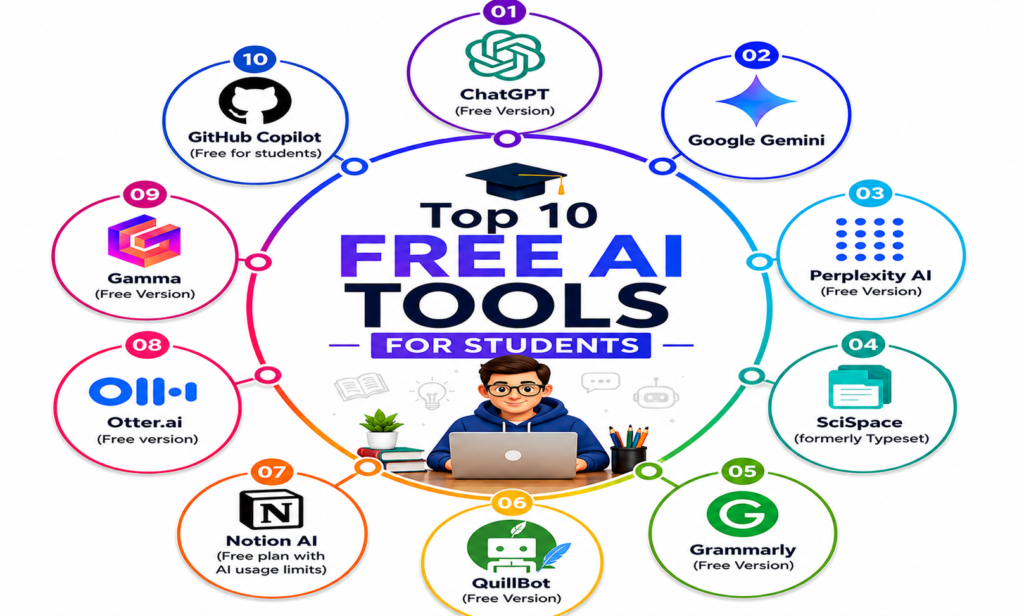
Why do students need AI tools these days?
To be honest, it is very difficult to be a student these days. If you have assignments, group projects, presentations, research papers and exams happening simultaneously. And separately there is a need to learn and know coding, digital marketing, content writing, blogging and many more.
To learn or do all these things, AI tools are required. So that we can do our work easily and manage time. People do this smartly, So that their work becomes easy and students can also understand and do their school or college work well. Apart from this, research, content writing, blog and so many more things with the help of AI tools. In a way, you can think of it like a personal teacher or a friend who takes notes, everything is available in one and the best thing is that we do not have to pay any separate fees or any cost for it. You can also take paid tools which include some advanced level AI tools.
In this entire article, we have brought top 10 AI tools for students, about which we will learn. So that with its help you can understand and change the way you read and write. No matter which high school or college or university you are in. These tools can reduce your time, burden and stress.
How can we choose these tools?
Before moving ahead, let us explain how we have made each AI tool accessible to students.
• Free Access: There should be a robust free AI Tools version. No hidden infrastructure charges, no paywalls.
• Easy to use: It has been designed in such a way that students can start using it in a few minutes without learning it.
• Practical value: Solving big projects in small parts so that students can learn more in less time such as finding information, solving problems in programming.
• Trustworthy and secure: the tool must respect your privacy. The tool must not leak or misuse your personal information.
• Mobile-friendly: Smartphones are now the classroom, so mobile support is our biggest strength
So let us see which AI tools are number one for which purpose for students?
Best AI Tools for Learning and Understanding Concepts
When you get stuck on a difficult task, you need a tool that makes the work easier and provides a way to get explanations and ask questions to aid understanding.
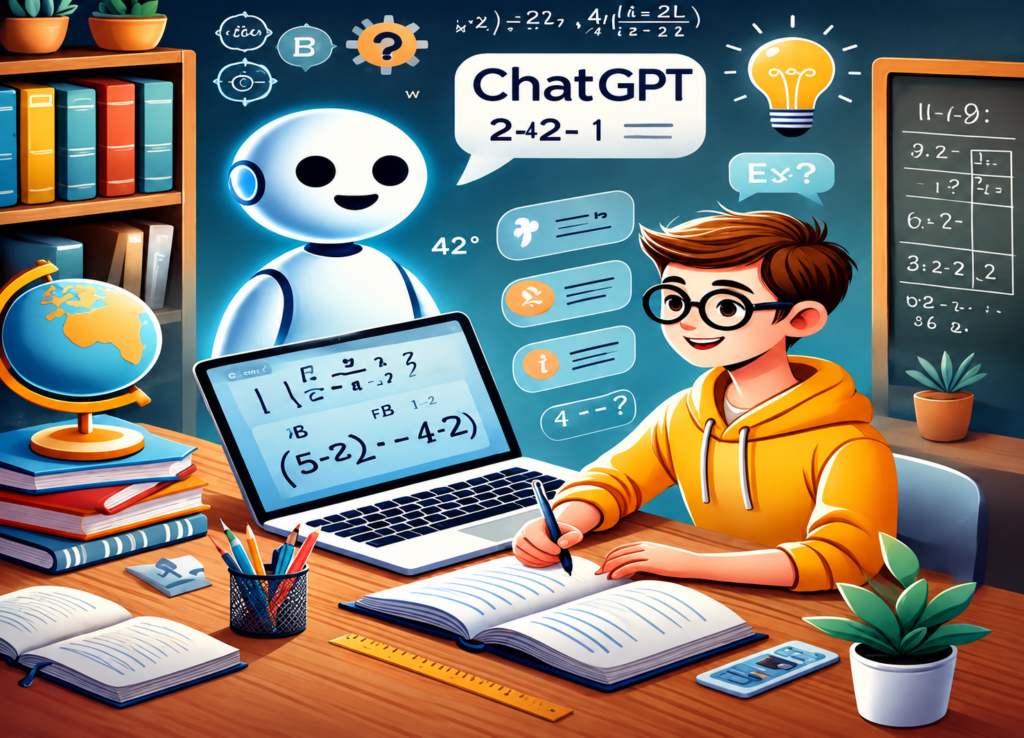 ChatGPT is one of the best AI tools for students. Its free version runs on GPT-3.5 and can explain complex topics in simple, easy-to-understand language, making tasks much easier for students.
• How it helps: You can ask it to explain difficult subjects—such as literary analysis, economics, mathematics, or project work—using simple, beginner-friendly language.
• The best part: The best feature is that you can keep asking questions until you fully learn the concept.
• Limitations: The free version has limits on the number of messages you can send, and it cannot search the internet for the latest information.
Tip: Try phrasing your request like this—”Explain this topic to me as if I were a 15-year-old,” or “Give me a real-life example of this.”
2. Google Gemini
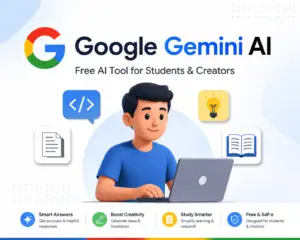
Google Gemini is a free AI tool from Google that operates directly via Google Search. It possesses a feature that sets it apart from ChatGPT: the ability to provide real-time, up-to-date information from the internet.
• How it helps: Whether it is a scientific formula, a historical event, or a complex math problem, you can ask it to explain concepts using modern-day examples.
• Key feature: A major advantage is its ability to process images and videos. For instance, if you upload a diagram of the human heart, it can easily explain each of its parts.
• Limitation: It sometimes provides very brief answers, so you may need to ask follow-up questions to get more detailed information.
Best AI Tools for Academic Research
Research is essential for creating any high-quality assignment, but gathering detailed, accurate information can be extremely time-consuming. Perplexity AI (free version) makes this task incredibly easy, accomplishing hours of work in just a few minutes.
3. Perplexity AI (Free Version)

Perplexity AI is essentially a combination of a search engine and AI tools. It is incredibly smart! It doesn’t just provide answers; it also cites the sources where it found the information. It works like magic for your school projects and study assignments!
• How it helps: You can type any study-related question, and it will give you the correct answer directly, along with links to the books or websites it referenced. You can even upload PDF files or images of storybooks and ask questions about them!
• Best feature: The best part is that it shows you exactly where the answer came from. This allows you to verify the information yourself and ensure it is accurate.
• Limitation: The free version offers a limited number of “Pro Search” uses. Just like how your parents might limit the amount of chocolate you can eat, the free version restricts you to a specific number of Pro Searches per day.
Tip: If you are struggling to understand a study topic, don’t worry—this app quickly provides the right answers and suggests relevant books. It helps you create excellent school projects and provides lists of great books; by utilizing its free features, you can become the topper of your class.
4. SciSpace (formerly Typeset)
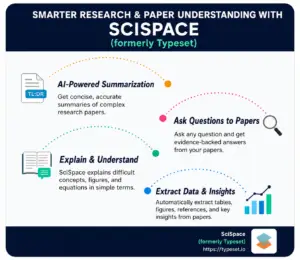
If you are a science or technology student, the SciSpace app will be incredibly useful to you. It simplifies complex, lengthy research papers in an instant, making them easy for you to learn quickly.
• How it helps: Simply upload any research paper, and it will explain the content in plain, simple language. It highlights key points and answers any questions you have about the paper.
• Best feature: Its ‘Explain’ button breaks down difficult terms and complex vocabulary into simple English.
• Limitation: It is excellent for subjects like science, math, and social science, but not as useful for subjects like arts and drawing.
Best AI Tools for Writing Assignments
It can be stressful when you run out of ideas or start making grammar mistakes while writing school assignments. In such situations, these free AI tools can be a huge help. They allow you to write high-quality content quickly and error-free.
5. Grammarly (Free Version)

Grammarly is the most popular AI writing assistant for students. It corrects your spelling and grammar mistakes. It also checks your writing style and readability—helping ensure your work impresses your teachers!
• How it helps: You can easily use it with Google Docs and Microsoft Word. Whenever you start writing, it corrects errors in real-time and offers suggestions to improve your sentences.
• Best feature: Its ‘Clarity’ button transforms convoluted sentences into clear, simple ones. It also checks for plagiarism (though the free version limits the number of checks).
• Limitation: The free version doesn’t provide advanced suggestions or a full plagiarism report.
Tip: Make sure to use Grammarly whenever you write emails, school projects, or messages. It catches those tiny errors you might otherwise overlook!
6. QuillBot (Free Version)
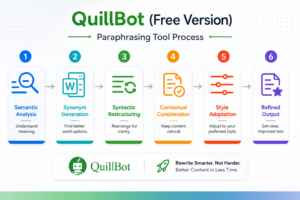
If you want to rephrase something or express an idea in a new way, use QuillBot. “It makes it very easy to rewrite content from any book in your own words.”
• How it helps: You can input any paragraph, and it will rewrite it using fresh, simple language without altering the original meaning. It also includes tools for summarizing text and correcting grammar.
• Best feature: Its ‘Summarizer’ tool condenses long, extensive chapters into key points, making it easier to learn the overall story.
• Limitation: Without a paid subscription, it limits the number of words it can rewrite at one time.
Great AI Tools for Note-Taking and Staying Organized
If you manage your study materials effectively, half your battle is already won. These free AI tools help you organize your homework and notes, making it easier to learn.
7. Notion AI (Free plan with AI usage limits)
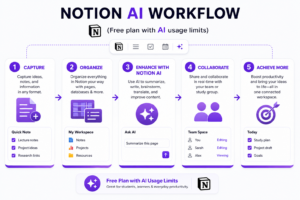
Many students use the Notion app for taking notes. It now includes an AI assistant that makes the app even smarter. Just keep in mind that the free version limits the number of questions you can ask.
• How it helps: This app makes schoolwork much easier! You can use it to summarize what your teacher says, create schedules for study and playtime, build test preparation guides, and even learn to write well-crafted emails.
• Best feature: It does exactly what you ask! You can say things like, “I don’t understand this; explain it in simple language,” or “Look at my notes and tell me how to prepare for the test”—and it gets the job done in a flash.
• Limitation: You can only ask its AI assistant a limited number of questions without paying. However, using the app to write notes and organize your study materials—just like a notebook—is completely free!
8. Otter.ai (Free version)
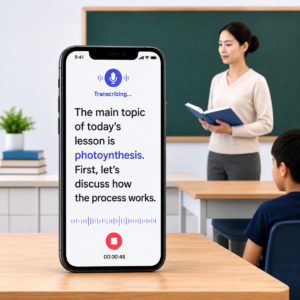
This app is like a magic pen! While your teacher is speaking in class, the app automatically types out what they are saying. It is incredibly helpful for students who find it difficult to write while listening.
• How it helps: Record your class lecture (make sure to ask your teacher first!), and the app will transcribe it into a readable format. You can then search for key points, mark important sections with a star, and add your own notes later.
• Best feature: This app is smart enough to identify which student or teacher is speaking and at what time. This allows you to jump straight to the exact moment where the teacher explained a key concept!
• Limitation: Without paying, you can only use the app to transcribe up to 300 minutes of homework per month.
Best AI Tools for Creating Presentations
At school, presenting projects in front of the class is a key part of learning. However, manually designing attractive slides on a computer can waste a lot of time. These AI tools make this difficult task incredibly easy and quick!
9. Gamma (Free Version)

If you want to create beautiful slides, use the Gamma app. Simply type in your topic, and the app instantly prepares a complete project by adding great text and lovely images.
• How it helps: As soon as you enter a topic like “Changing Weather” or “Plants,” the app automatically designs a multi-page project featuring beautiful headings, concise text, and delightful images!
• Best feature: You can customize these beautiful pages (slides) however you like and save them permanently on your phone or computer as a PDF or digital file.
• Limitation: If you don’t pay, the app offers only a limited number of uses per month. Once you run out of credits, you have to wait until the next month.
Tip: Use this app whenever you need to create something beautiful quickly. If you have a lot of content to write, start with this app and then make any changes you prefer later.
Best AI Tools for Coding and Programming
If you aspire to become a computer expert or want to create your own games and apps, these AI tools will make your learning process much faster and more enjoyable. “You’ll learn coding in no time!”
10. GitHub Copilot (Free for students)
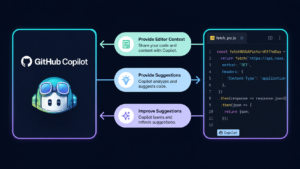
This is an AI assistant designed to help you learn coding. As soon as you start typing on your computer, it begins suggesting the right code. It is completely free of charge for students.
• How it helps: Simply open your computer and start coding; the app automatically displays the correct subsequent lines on your screen. It has a strong understanding of various programming languages like Python, JavaScript, Java, and C++.
• The best part: It generates complete computer code based on whatever you type in plain English. For example, if you type “show me how to calculate the average of numbers,” it will automatically write the entire code for it.
• Limitation: To use it for free, you need to sign up for the student pack. Remember, it isn’t free for everyone; only students can access it at no cost.
Bonus: If you are unable to use Copilot, don’t worry. You can use the Codeium app instead—which is free for everyone—or try the free version of the Tabnine app.
How to Choose the Right AI Tool for Your Course
Not every tool is useful for every student. Here is a quick guide based on your needs:
| Your Need | Best Tool to Try |
| Understanding difficult concepts | ChatGPT or Google Gemini |
| Finding and summarizing research | Perplexity AI or SciSpace |
| Improving writing and grammar | Grammarly or QuillBot |
| Taking and organizing notes | Notion AI or Otter.ai |
| Creating presentations quickly | Gamma |
| Learning to code or writing code | GitHub Copilot or Codeium |
A simple rule: start by using just one app for writing, one for research, and one to keep all your work organized. Once you’ve mastered using them, you can add other apps based on your needs.
Final Thoughts
AI apps aren’t meant to replace hard work. They are there to help you learn faster, write better, and keep your materials organized. Their true purpose is to help you gain a deeper understanding of your studies and become a better student.
The 10 study apps mentioned here are easy to find, simple to use, and will be incredibly helpful. Whether you need to write an essay, prepare a school project, or debug computer code, there is a free app available for every task.
Try using just two or three of these tools this week. This will help you figure out which ones make your schoolwork easier. And remember—the best tool is the one you actually use.